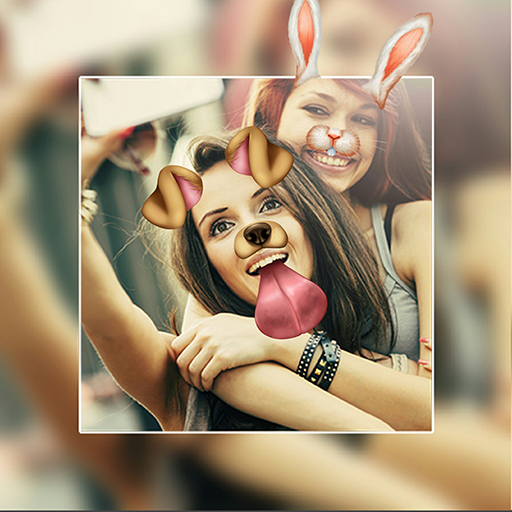
About This App
CategoryPhotography
Installs100,000,000+
Content Rating--
Developer Email--
Screenshots


Editor Reviews
Photo Editor Picsa: Collage by Lyrebird Studio is an all-in-one photo editing and collage creation app that has surpassed 220 million downloads worldwide. It lets users build eye-catching grid collages, side-by-side layouts, and freeform photo compositions using a wide selection of templates and customizable borders. The editing toolkit includes filters and effects ranging from retro sparkle and glitch themes to drip and spiral effects, along with standard tools for brightness, contrast, and cropping.
Users can personalize creations further with stickers, fonts, and emojis. Saving and sharing finished projects is straightforward, with direct export to social media platforms. Its broad template library and intuitive drag-and-drop interface make it an accessible choice for casual creators.
🖼️📸
Features
- 📱 User-Friendly Design: Photo Editor Picsa: Collage features an intuitive interface that makes every task simple and straightforward.
- ⚡ Fast & Reliable: Photo Editor Picsa: Collage runs smoothly on all devices, providing a seamless and responsive experience.
- 🛠️ Rich Functionality: Access a comprehensive set of tools and features designed to meet your needs in Photo Editor Picsa: Collage.
- ✨ Regular Updates: The Photo Editor Picsa: Collage team constantly improves the app with new features, bug fixes, and performance enhancements.
- 💡 Easy to Get Started: Get up and running quickly with Photo Editor Picsa: Collage's simple setup process and helpful onboarding.
How to Use
1. Download and Open: Install Picsa from the Google Play Store and open the app — no account sign-in is required to get started.
2. Choose Your Project Type: On the home screen, select "Collage" to build a multi-photo layout, or "Edit" to work on a single image.
3. Select Photos: Grant the app permission to access your gallery, then tap the photos you want to include. For collages, you can select multiple images at once.
4. Pick a Layout or Template: Browse the collage grid templates at the top of the screen and tap one to apply it. Drag photos between cells to rearrange them.
5. Apply Filters and Effects: Tap a photo within your collage (or the full image in single-edit mode) and swipe through the filter strip at the bottom to apply effects like retro, glitch, or sparkle.
6. Add Stickers, Text, and Emojis: Tap the sticker or text icons in the toolbar to layer decorative elements, captions, or emoji over your composition. Pinch and drag to resize and reposition them.
7. Save and Share: Tap the Save or Export button to save the final image to your gallery at high resolution, or tap Share to post directly to Instagram, WhatsApp, or other apps.
FAQ
Recommended Apps
ZEPETO: Avatar, Connect & Play
★★★★★4.3

Skins Clothes Maker for Roblox
★★★★★3.6
FaceApp: Perfect Face Editor
★★★★★4.3

Tarot
★★★★★4.8
ChatGPT
★★★★★4.7

TouchTunes: Live Bar JukeBox
★★★★★4.8

Grindr - Gay Dating & Chat
★★★★★4.3

Google Chat
★★★★★4.4

IRS2Go
★★★★★4.0

Santa Tracker - Track Santa
★★★★★4.2

Telegram
★★★★★4.2

Walgreens
★★★★★4.6

Facebook
★★★★★4.4

HairApp: Hair Styler App, Bald
★★★★★3.4

Makerblox - Create Skins
★★★★★4.3
Hot Apps

Revive: Animation & AI Photos
★★★★★4.5

Love Tester Find Real Love App
★★★★★4.6

Lime - #RideGreen
★★★★★4.9

QR Code Scanner & Scanner App
★★★★★4.4

Zalo
★★★★★2.3

Zelle®
★★★★★4.1

SoundHound - Music Discovery
★★★★★3.8
TouchTunes: Live Bar JukeBox
★★★★★4.8

WhatsApp Messenger
★★★★★4.5

Kpop Fans Demon Hunter Wallpap
★★★★★4.3

TikTok
★★★★★4.1

Aura Frames
★★★★★4.8

Love Language Test
★★★★★0.0
Facebook
★★★★★4.4

Cash App
★★★★★4.6
Disclaimer
- X-Clash does not represent any developer, nor is it the developer of any app or game.
- X-Clash provides screenshots, historical version APK, links and other information collected from Google Play.
- All trademarks, registered trademarks, product names and company names are the property of their respective owners.
- X-Clash abides by the Digital Millennium Copyright Act (DMCA).
- We provide official download links at Google Play Store and App Store whenever available.
- If you are the owner or copyright representative and want to delete your information, please contact us at [email protected].
- All information on this website strictly observes Google Ads Advertising policies and Google Unwanted Software policy.