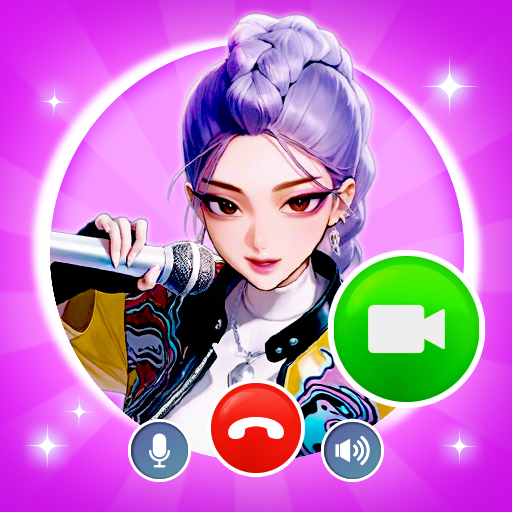
About This App
CategoryLifestyle
Installs10,000,000+
Content Rating--
Developer Email--
Screenshots


Editor Reviews
Prank Video Call - Fake Chat is a lifestyle entertainment app that lets users simulate incoming video calls and fabricate realistic-looking chat conversations for humorous pranks. Users can assign any persona — a celebrity, police officer, fictional character, or custom contact — and schedule a fake call to ring at a specific time. The built-in video library includes pre-recorded clips, or users can upload their own footage.
Fake SMS-style conversations can also be crafted with full control over both sides of the exchange. The app is designed purely for entertainment purposes and is upfront that all interactions are simulated. 😂📱
Features
- 📱 User-Friendly Design: Prank Video Call - Fake Chat features an intuitive interface that makes every task simple and straightforward.
- ⚡ Fast & Reliable: Prank Video Call - Fake Chat runs smoothly on all devices, providing a seamless and responsive experience.
- 🛠️ Rich Functionality: Access a comprehensive set of tools and features designed to meet your needs in Prank Video Call - Fake Chat.
- ✨ Regular Updates: The Prank Video Call - Fake Chat team constantly improves the app with new features, bug fixes, and performance enhancements.
- 💡 Easy to Get Started: Get up and running quickly with Prank Video Call - Fake Chat's simple setup process and helpful onboarding.
How to Use
1. Install the App — Download Prank Video Call - Fake Chat from the Play Store and open it.
2. Choose a Prank Type — Select either a fake video call or a fake chat message prank from the main menu.
3. Pick or Create a Contact — Choose a persona from the built-in library (celebrities, characters) or create a custom contact with a photo and name.
4. Select a Video Clip — Choose a pre-recorded video from the library or upload your own for the video call prank.
5. Schedule the Call — Set a timer so the fake call rings at exactly the right moment during your prank.
6. Trigger the Prank — Hand your phone to your friend or let the scheduled call ring naturally.
7. Craft Fake Chats — Use the fake chat tool to create screenshot-style conversations for sharing as prank images.
FAQ
Recommended Apps

Zoom Workplace
★★★★★4.1

TikTok
★★★★★4.1

IMDb: Movies & TV Shows
★★★★★4.4
Who Love You? Personality Test
★★★★★0.0

Photo Editor Picsa: Collage
★★★★★4.6

Skin Editor 3D for Minecraft
★★★★★4.4
Wizz - Expand Your World
★★★★★3.6

Love Tester Find Real Love App
★★★★★4.6
FaceApp: Perfect Face Editor
★★★★★4.3

Revive: Animation & AI Photos
★★★★★4.5

Secret Crush Detector App
★★★★★4.8

WhatsApp Messenger
★★★★★4.5

Quick Scratch Earn RBX
★★★★★0.0

Rumble
★★★★★3.8

Reddit
★★★★★4.6
Hot Apps

Aura Frames
★★★★★4.8

TouchTunes: Live Bar JukeBox
★★★★★4.8

Cash App
★★★★★4.6

Transit: Bus & Subway Times
★★★★★4.6

Telegram
★★★★★4.2
Who Love You? Personality Test
★★★★★0.0

Lime - #RideGreen
★★★★★4.9
Skin Editor 3D for Minecraft
★★★★★4.4

JPay
★★★★★4.0

Love Language Test
★★★★★0.0

Customuse: Skins Maker Roblox
★★★★★4.5

SoundHound - Music Discovery
★★★★★3.8
Love Tester Find Real Love App
★★★★★4.6

DoorDash - Food Delivery
★★★★★4.7

QR Code Scanner & Scanner App
★★★★★4.4
Disclaimer
- X-Clash does not represent any developer, nor is it the developer of any app or game.
- X-Clash provides screenshots, historical version APK, links and other information collected from Google Play.
- All trademarks, registered trademarks, product names and company names are the property of their respective owners.
- X-Clash abides by the Digital Millennium Copyright Act (DMCA).
- We provide official download links at Google Play Store and App Store whenever available.
- If you are the owner or copyright representative and want to delete your information, please contact us at [email protected].
- All information on this website strictly observes Google Ads Advertising policies and Google Unwanted Software policy.