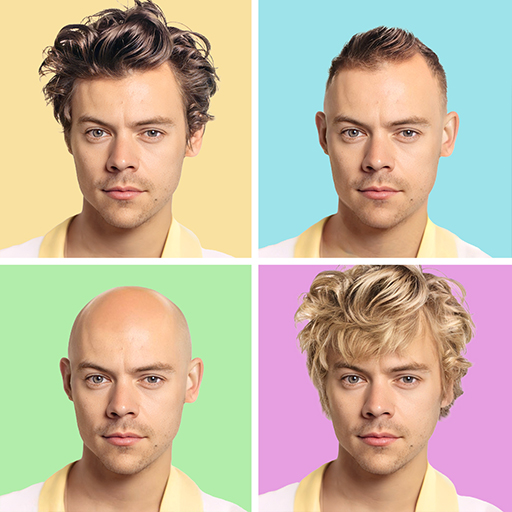
About This App
CategoryPhotography
Installs1,000,000+
Content Rating--
Developer Email--
Screenshots


Editor Reviews
HairApp: Hair Styler App, Bald is an AI-powered photo editing app that lets you virtually try on hundreds of different hairstyles, hair colors, beard styles, and even a bald look — all using your own selfie or photo. The app uses AI filters to overlay styles realistically onto your face, covering options from curly and wavy to long and straight for women, and a full range of beard and mustache styles for men. Hair color changes including blonde, brunette, and red are available with a single tap.
With over 1.1 million downloads and a 4.13-star rating, the app has a solid reputation for variety and ease of use. Most core features are accessible for free, though the app uses a premium subscription to unlock the full style library. Great for planning a real haircut before committing.
💇✂️
Features
- 📱 User-Friendly Design: HairApp: Hair Styler App, Bald features an intuitive interface that makes every task simple and straightforward.
- ⚡ Fast & Reliable: HairApp: Hair Styler App, Bald runs smoothly on all devices, providing a seamless and responsive experience.
- 🛠️ Rich Functionality: Access a comprehensive set of tools and features designed to meet your needs in HairApp: Hair Styler App, Bald.
- ✨ Regular Updates: The HairApp: Hair Styler App, Bald team constantly improves the app with new features, bug fixes, and performance enhancements.
- 💡 Easy to Get Started: Get up and running quickly with HairApp: Hair Styler App, Bald's simple setup process and helpful onboarding.
How to Use
1. Download and Open: Install HairApp and launch it to reach the main menu where all styling categories are displayed.
2. Take or Upload a Photo: Tap the camera icon to take a real-time selfie or upload an existing photo from your gallery for the best style preview results.
3. Browse Hairstyle Filters: Select the Hairstyle category and scroll through available cuts — from bobs and curls to long straight styles — and tap any style to apply it.
4. Try Beard Styles: Switch to the Beard category to preview mustaches, full beards, stubble, or a clean-shaven look layered onto your photo.
5. Test the Bald Filter: Open the Bald option under special filters to see what a shaved head would look like on your face shape.
6. Change Hair Color: Tap the Hair Color section and select a shade — the AI applies the chosen color over your natural hair in the photo.
7. Save and Share: Once satisfied with a look, tap the save button to export the image to your gallery, or share it directly to social media for feedback.
FAQ
Recommended Apps

Crush Love Tester
★★★★★3.7

Customuse: Skins Maker Roblox
★★★★★4.5

Love Test - Compatibility Test
★★★★★4.5

TikTok
★★★★★4.1

Kpop Fans Demon Hunter Sticker
★★★★★0.0

Walgreens
★★★★★4.6

Santa Tracker - 2025
★★★★★3.2
YoYa: Busy Life World
★★★★★3.8

Fact of Your Name-Name Meaning
★★★★★4.0

Draw Glow Comics
★★★★★4.3

Aura Frames
★★★★★4.8
Instagram Lite
★★★★★4.3

WhatsApp Messenger
★★★★★4.5
Imagine : AI Art Generator
★★★★★4.1

KPop Demon Hunter Wallpaper
★★★★★0.0
Hot Apps

DoorDash - Food Delivery
★★★★★4.7
SoundHound - Music Discovery
★★★★★3.8

Waze Navigation & Live Traffic
★★★★★4.2
WhatsApp Messenger
★★★★★4.5
Prank Video Call - Fake Chat
★★★★★4.1
Fact of Your Name-Name Meaning
★★★★★4.0

Love Language Test
★★★★★0.0
PayByPhone
★★★★★4.0
Aura Frames
★★★★★4.8
Link to Windows
★★★★★3.8

IRS2Go
★★★★★4.0

Zalo
★★★★★2.3

Spotify: Music and Podcasts
★★★★★4.3

Uber - Request a ride
★★★★★4.8

Transit: Bus & Subway Times
★★★★★4.6
Disclaimer
- X-Clash does not represent any developer, nor is it the developer of any app or game.
- X-Clash provides screenshots, historical version APK, links and other information collected from Google Play.
- All trademarks, registered trademarks, product names and company names are the property of their respective owners.
- X-Clash abides by the Digital Millennium Copyright Act (DMCA).
- We provide official download links at Google Play Store and App Store whenever available.
- If you are the owner or copyright representative and want to delete your information, please contact us at [email protected].
- All information on this website strictly observes Google Ads Advertising policies and Google Unwanted Software policy.