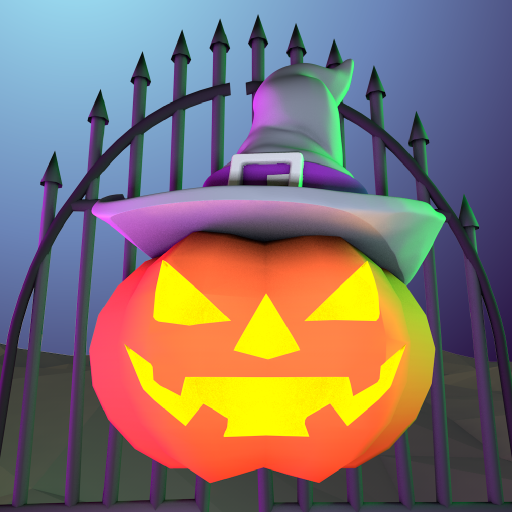
About This App
CategoryCasual
Installs1,000,000+
Content Rating--
Developer Email--
Screenshots


Editor Reviews
Halloween Home is a casual decoration simulation game developed by Funbly that lets players transform a house into the ultimate Halloween haunt. The gameplay is straightforward: choose decorations, place them around the home, and watch the spooky scene come together. Players can string cobwebs, hang bats, carve jack-o-lanterns with custom expressions, and fill candy bowls for trick-or-treaters.
The art style is cheerful and Halloween-appropriate without being too scary, making it accessible for children and casual players alike. There is no time pressure or difficulty curve — the appeal is purely creative. The app is easy to operate and available for all ages.
It weighs around 135 MB and is free to download on Google Play. A lighthearted seasonal experience for Halloween enthusiasts. 🎃🦇
Features
- 🎮 Intuitive Controls: Halloween Home features smooth, responsive controls optimized for mobile touchscreen gameplay.
- 🎲 Multiple Game Modes: Explore various game modes that keep the gameplay fresh and exciting in Halloween Home.
- 🚀 Easy to Learn: Jump right into the action with an intuitive tutorial system that gets you playing in minutes.
- 🏅 Competitive Leaderboards: Compare your scores and achievements with friends and players around the world.
- 📱 Offline Play: Enjoy Halloween Home anytime, anywhere — even without an internet connection.
How to Play
1. Open the App — Launch Halloween Home and tap the Start button to enter the decoratable house environment.
2. Browse Decoration Categories — Scroll through the decoration panel at the bottom to find categories like cobwebs, bats, pumpkins, and candy bowls.
3. Place Decorations — Tap an item to select it, then tap a location on the house wall, floor, or surface to place it there.
4. Carve a Pumpkin — Select a jack-o-lantern from the pumpkin section, then choose a face pattern to carve a custom Halloween expression.
5. Add Cobwebs & Bats — Drag cobweb decorations to corners and doorways; tap bat icons to scatter animated bats across the scene.
6. Fill the Candy Bowl — Tap the candy bowl decoration and choose candy types to fill it up, completing the trick-or-treat setup.
7. Save Your Design — Tap the camera or save icon to capture your decorated Halloween home and share it with friends.
FAQ
Recommended Apps

Fashion Catwalk Show
★★★★★4.6

Rhythm Fire-EDM Shooting Game
★★★★★4.8

Teacher Life Simulator
★★★★★4.2

Minion Rush: Running Game
★★★★★4.3

Poppy Playtime Chapter 2
★★★★★4.2

CookieRun: Kingdom
★★★★★4.9

Papa's Pancakeria To Go!
★★★★★4.7
Papa's Taco Mia To Go!
★★★★★4.3

Brainrot Mini Challenge
★★★★★3.0

Stumble Guys
★★★★★4.2
The Room: Old Sins
★★★★★4.9

Fake video call - Prank call
★★★★★4.1

Cops N Robbers:Pixel Craft Gun
★★★★★4.2

Dream League Soccer 2025
★★★★★4.4

Frozen Honey ASMR
★★★★★4.3
Hot Apps

DoorDash - Food Delivery
★★★★★4.7

Uber - Request a ride
★★★★★4.8

TikTok
★★★★★4.1

Zoom Workplace
★★★★★4.1

Transit: Bus & Subway Times
★★★★★4.6

KPop Demon Hunter Wallpaper
★★★★★0.0

Aura Frames
★★★★★4.8

Kpop Fans Demon Hunter Wallpap
★★★★★4.3

PlantSnap plant identification
★★★★★3.7

Signal Private Messenger
★★★★★4.5

Spotify: Music and Podcasts
★★★★★4.3

TouchTunes: Live Bar JukeBox
★★★★★4.8

Zelle®
★★★★★4.1

Google Pay: Save and Pay
★★★★★4.0

Facebook
★★★★★4.4
Disclaimer
- X-Clash does not represent any developer, nor is it the developer of any app or game.
- X-Clash provides screenshots, historical version APK, links and other information collected from Google Play.
- All trademarks, registered trademarks, product names and company names are the property of their respective owners.
- X-Clash abides by the Digital Millennium Copyright Act (DMCA).
- We provide official download links at Google Play Store and App Store whenever available.
- If you are the owner or copyright representative and want to delete your information, please contact us at [email protected].
- All information on this website strictly observes Google Ads Advertising policies and Google Unwanted Software policy.