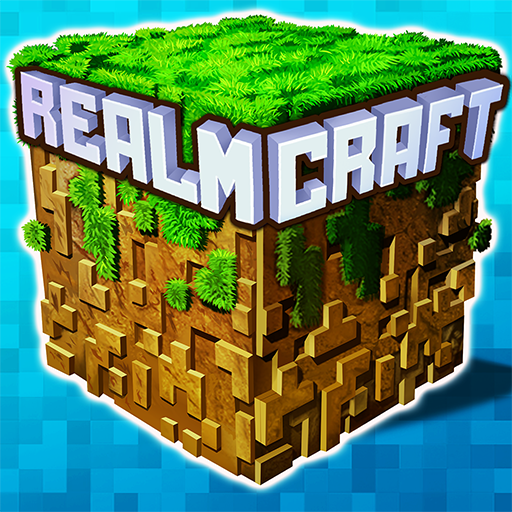
About This App
CategoryAdventure
Installs100,000,000+
Content Rating--
Developer Email--
Screenshots


Editor Reviews
Mini Block Craft 3D RealmCraft is a free sandbox construction game by Tellurion Mobile that offers a Minecraft-inspired experience with both Survival and Creative modes across a procedurally generated infinite 3D world. With 100+ types of blocks and a comprehensive crafting system, players can gather resources, build structures, craft tools, and survive against environmental challenges in Survival mode, or build freely without restrictions in Creative mode. The game supports offline play and features a skins editor with direct export compatibility to Minecraft — a standout feature for crossover players.
With 50 million+ installs and a 4.4-star average, it's one of the most popular free alternatives to Minecraft on mobile, though occasional ads and block placement limits are common player complaints. 🧱🌍
Features
- 🌟 Stunning Visuals: Enjoy high-quality graphics and smooth animations that bring Mini Block Craft 3D RealmCraft to life on your device.
- 🎲 Multiple Game Modes: Explore various game modes that keep the gameplay fresh and exciting in Mini Block Craft 3D RealmCraft.
- 🚀 Easy to Learn: Jump right into the action with an intuitive tutorial system that gets you playing in minutes.
- 🏅 Competitive Leaderboards: Compare your scores and achievements with friends and players around the world.
- 📱 Offline Play: Enjoy Mini Block Craft 3D RealmCraft anytime, anywhere — even without an internet connection.
How to Play
1. Download and Create a World: Install RealmCraft from the Google Play Store, tap "Play", then select "New World". Choose between Survival mode (resource gathering and survival) or Creative mode (unlimited building with all blocks available).
2. Learn to Move and Look Around: Use the left virtual joystick to walk and the right touchpad to look around. Tap the jump button to leap over obstacles or climb terrain.
3. Mine Blocks (Survival Mode): Tap and hold on any block in the world to mine it. Different block types require specific tools — craft a wooden or stone pickaxe from your inventory to mine faster.
4. Open Your Inventory and Craft: Tap the backpack icon to open your inventory. Drag materials into the crafting grid to combine them into tools, weapons, food, or building blocks following crafting recipes.
5. Build Structures: Select a block from your hotbar at the bottom of the screen. Tap an empty surface in the world to place it. Use your inventory to switch between different block types as you build.
6. Survive the Night (Survival Mode): Build a shelter before nightfall to protect yourself from hostile mobs. Craft a bed to sleep through the night and reset the spawn point.
7. Customize Your Skin: Access the Skins menu from the main screen to design a custom character skin. Use the export feature to transfer compatible skins directly to Minecraft if desired.
FAQ
Recommended Apps
Frontline Heroes: WW2 Warfare
★★★★★4.4

Soccer Cup 2023: Football Game
★★★★★4.3
Traffic Driving Car Simulator
★★★★★3.6

Poppy Playtime Chapter 2
★★★★★4.2

Cookingdom
★★★★★4.7

99 Nights in the Forest
★★★★★4.0

Minion Rush: Running Game
★★★★★4.3
Tiles Hop EDM Rush Music Game
★★★★★4.3

Frozen Honey ASMR
★★★★★4.3

A Webbing Journey
★★★★★4.5
Stumble Guys
★★★★★4.2

The Baby In Yellow
★★★★★4.2

Bmw Car Simulator Game 2024
★★★★★3.8

I Am Monkey
★★★★★4.7
Papa's Cluckeria To Go!
★★★★★4.8
Hot Apps

Aura Frames
★★★★★4.8

Google Chat
★★★★★4.4

Customuse: Skins Maker Roblox
★★★★★4.5

Fact of Your Name-Name Meaning
★★★★★4.0

PayPal - Pay, Send, Save
★★★★★4.3

Reddit
★★★★★4.6

IRS2Go
★★★★★4.0

Signal Private Messenger
★★★★★4.5

TouchTunes: Live Bar JukeBox
★★★★★4.8

Skin Editor 3D for Minecraft
★★★★★4.4

Zoom Workplace
★★★★★4.1

ParkMobile: Park. Pay. Go.
★★★★★4.7

Venmo
★★★★★4.2

KPop Demon Hunter Wallpaper
★★★★★0.0
Temu: Shop Like a Billionaire
★★★★★4.6
Disclaimer
- X-Clash does not represent any developer, nor is it the developer of any app or game.
- X-Clash provides screenshots, historical version APK, links and other information collected from Google Play.
- All trademarks, registered trademarks, product names and company names are the property of their respective owners.
- X-Clash abides by the Digital Millennium Copyright Act (DMCA).
- We provide official download links at Google Play Store and App Store whenever available.
- If you are the owner or copyright representative and want to delete your information, please contact us at [email protected].
- All information on this website strictly observes Google Ads Advertising policies and Google Unwanted Software policy.