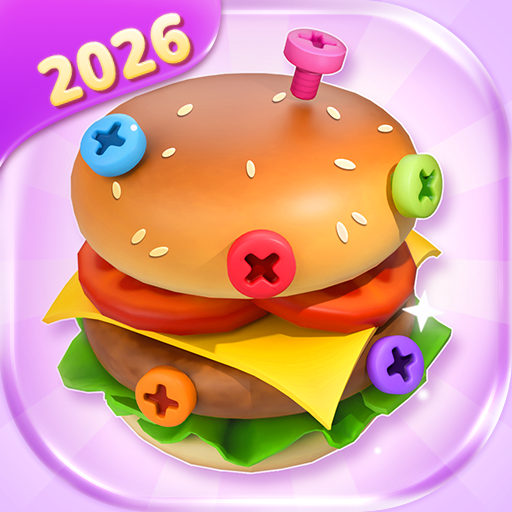
About This App
CategoryCasual
Installs10,000,000+
Content Rating--
Developer Email--
Screenshots


Editor Reviews
3D Bolt Master is a highly polished 3D puzzle game by Joymaster Puzzle Game Studio with 10 million+ downloads and an outstanding 4.84-star rating from 320,000 reviewers. The gameplay centers on rotating three-dimensional screw models to unscrew blocked nuts, free trapped bolts, and sort components by color to unlock paths through intricate mechanical assemblies. Players rotate the 3D model freely by 360 degrees to find the ideal angle, then apply tools including a hammer, drill, and broom to complete each disassembly puzzle.
A colorblind mode uses distinct geometric shapes alongside colors for accessibility. The game is fully playable offline and features hundreds of escalating levels. Its satisfying tactile feel, crisp 3D graphics, and progressive complexity make it one of the best entries in the screw-puzzle genre on mobile.
🔩🔧
Features
- 🌟 Stunning Visuals: Enjoy high-quality graphics and smooth animations that bring 3D Bolt Master™ to life on your device.
- 🎲 Multiple Game Modes: Explore various game modes that keep the gameplay fresh and exciting in 3D Bolt Master™.
- 🚀 Easy to Learn: Jump right into the action with an intuitive tutorial system that gets you playing in minutes.
- 🏅 Competitive Leaderboards: Compare your scores and achievements with friends and players around the world.
- 📱 Offline Play: Enjoy 3D Bolt Master™ anytime, anywhere — even without an internet connection.
How to Play
1. Start a Level — Open the game and select a level from the puzzle map; early levels serve as a tutorial for rotation and unscrewing mechanics.
2. Rotate the 3D Model — Swipe the screen to spin the bolt assembly in any direction, examining all angles to identify which screws are accessible.
3. Select a Screw to Unscrew — Tap a visible screw or bolt to select it; a rotation indicator appears showing the direction to turn it.
4. Unscrew by Swiping — Follow the rotation prompt by swiping in the indicated direction to loosen and remove the selected screw.
5. Use Tools for Stuck Parts — If a component is blocked or jammed, open the tool panel and select the hammer (to knock), drill (to bore through), or broom (to sweep debris).
6. Sort by Color — Move freed components into matching color slots or groups to unlock the next section of the assembly and clear the board.
7. Complete the Disassembly — Remove all components to finish the level, earn a star rating, and advance to the next more complex bolt puzzle.
FAQ
Recommended Apps

Sniper 3D:Gun Shooting Games
★★★★★4.6

Pokémon UNITE
★★★★★4.5

Galaxy Attack: Shooting Game
★★★★★4.7

Hill Climb Racing 2
★★★★★4.5

I Am Cat
★★★★★4.5

Fashion Catwalk Show
★★★★★4.6
Solitaire - Classic Card Games
★★★★★4.7

Minion Rush: Running Game
★★★★★4.3
Talking Tom Gold Run
★★★★★4.3

Anime Dress & Fashion Makeover
★★★★★3.9

Project Makeover
★★★★★4.5
Army Men Strike: Toy Wars
★★★★★4.1

Papa's Scooperia To Go!
★★★★★4.8

Papa's Cupcakeria To Go!
★★★★★4.3

Beam Drive Crashes Original 3D
★★★★★4.2
Hot Apps
Name Meaning
★★★★★4.1

Kpop Demon Draw and Coloring
★★★★★0.0
Who Love You? Personality Test
★★★★★0.0

DoorDash - Food Delivery
★★★★★4.7

JPay
★★★★★4.0

Facebook
★★★★★4.4

KPop Demon Hunter Wallpaper
★★★★★0.0

Aura Frames
★★★★★4.8

Temu: Shop Like a Billionaire
★★★★★4.6

PayPal - Pay, Send, Save
★★★★★4.3

Love Test - Compatibility Test
★★★★★4.5

ParkMobile: Park. Pay. Go.
★★★★★4.7

Walgreens
★★★★★4.6

Spotify: Music and Podcasts
★★★★★4.3

Link to Windows
★★★★★3.8
Disclaimer
- X-Clash does not represent any developer, nor is it the developer of any app or game.
- X-Clash provides screenshots, historical version APK, links and other information collected from Google Play.
- All trademarks, registered trademarks, product names and company names are the property of their respective owners.
- X-Clash abides by the Digital Millennium Copyright Act (DMCA).
- We provide official download links at Google Play Store and App Store whenever available.
- If you are the owner or copyright representative and want to delete your information, please contact us at [email protected].
- All information on this website strictly observes Google Ads Advertising policies and Google Unwanted Software policy.