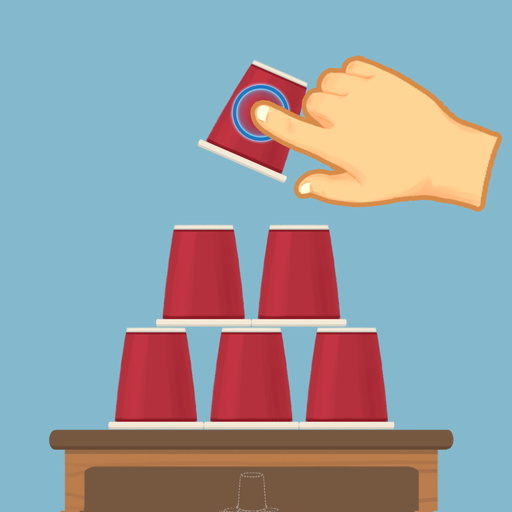
About This App
CategoryPuzzle
Installs5,000,000+
Content Rating--
Developer Email--
Screenshots


Editor Reviews
Make It Perfect 2 is a satisfying casual puzzle game from Moonlight Studio that challenges players to arrange items precisely into their designated positions across hundreds of levels. The core loop is elegantly simple: you're presented with a scene containing objects slightly out of place, and your task is to slide, rotate, or position them until they snap perfectly into alignment. Early levels ease players into the mechanics with simple configurations, while later stages introduce more complex arrangements requiring sharper spatial reasoning and attention to detail.
The visual presentation is polished and pleasing, and the absence of time pressure makes it a relaxing yet mentally engaging experience. It appeals to players who enjoy satisfying "perfectionist" mechanics without the frustration of failure states. 🎯✅
Features
- 🎮 Intuitive Controls: Make It Perfect 2 features smooth, responsive controls optimized for mobile touchscreen gameplay.
- 🎲 Multiple Game Modes: Explore various game modes that keep the gameplay fresh and exciting in Make It Perfect 2.
- 🚀 Easy to Learn: Jump right into the action with an intuitive tutorial system that gets you playing in minutes.
- 🏅 Competitive Leaderboards: Compare your scores and achievements with friends and players around the world.
- 📱 Offline Play: Enjoy Make It Perfect 2 anytime, anywhere — even without an internet connection.
How to Play
1. Download and Open: Install Make It Perfect 2 from the Google Play Store and tap Play to go directly into Level 1 — the game teaches its mechanics through play without a formal tutorial.
2. Examine the Scene: Look at the puzzle presented on screen. You'll see objects positioned close to but not exactly in their correct placement — your goal is to spot what's slightly off.
3. Drag Items into Position: Tap and drag misaligned objects to reposition them. Objects will snap or visually indicate when you've found the correct placement.
4. Rotate Objects If Needed: Some items need rotation in addition to repositioning. Use a single-finger twist gesture or tap the rotation control (if shown) to orient the object correctly.
5. Look for Visual Feedback: The game provides subtle visual or audio cues when an item is correctly placed — a gentle animation, color change, or sound effect signals a successful placement.
6. Complete the Level: Once all items in the scene are perfectly placed, the level completes and you advance to the next. Each solved level may reward stars based on accuracy or speed.
7. Progress Through the Level Map: Use the level select screen to track your progress. Revisit earlier levels to improve your star rating if you missed a perfect score the first time through.
FAQ
Recommended Apps
Asphalt 8 - Car Racing Game
★★★★★4.5
Papa's Cluckeria To Go!
★★★★★4.8
Incredibox
★★★★★4.8

Car Driving School Simulator
★★★★★4.1

Creepy Clown - Circus Escape
★★★★★4.0
Getting Over It
★★★★★3.3

Minion Rush: Running Game
★★★★★4.3

I Am Monkey
★★★★★4.7
Bmw Car Simulator Game 2024
★★★★★3.8

Blockman Go
★★★★★4.2
Shadow of Death: Dark Knight
★★★★★4.6
Clash Royale
★★★★★4.3
Beam Drive Crashes Original 3D
★★★★★4.2
Papa's Bakeria To Go!
★★★★★4.7
Talking Tom Gold Run
★★★★★4.3
Hot Apps

Affirm: Buy now, pay over time
★★★★★4.8

Uber - Request a ride
★★★★★4.8

Kpop Fans Demon Hunter Sticker
★★★★★0.0

Zalo
★★★★★2.3

Google Pay: Save and Pay
★★★★★4.0

PayPal - Pay, Send, Save
★★★★★4.3

Google Chat
★★★★★4.4

Zelle®
★★★★★4.1

Lime - #RideGreen
★★★★★4.9

Telegram
★★★★★4.2

TikTok
★★★★★4.1
Prank Video Call - Fake Chat
★★★★★4.1

Customuse: Skins Maker Roblox
★★★★★4.5
Link to Windows
★★★★★3.8

Cash App
★★★★★4.6
Disclaimer
- X-Clash does not represent any developer, nor is it the developer of any app or game.
- X-Clash provides screenshots, historical version APK, links and other information collected from Google Play.
- All trademarks, registered trademarks, product names and company names are the property of their respective owners.
- X-Clash abides by the Digital Millennium Copyright Act (DMCA).
- We provide official download links at Google Play Store and App Store whenever available.
- If you are the owner or copyright representative and want to delete your information, please contact us at [email protected].
- All information on this website strictly observes Google Ads Advertising policies and Google Unwanted Software policy.