About This App
CategoryPuzzle
Installs100,000,000+
Content Rating--
Developer Email--
Screenshots


Editor Reviews
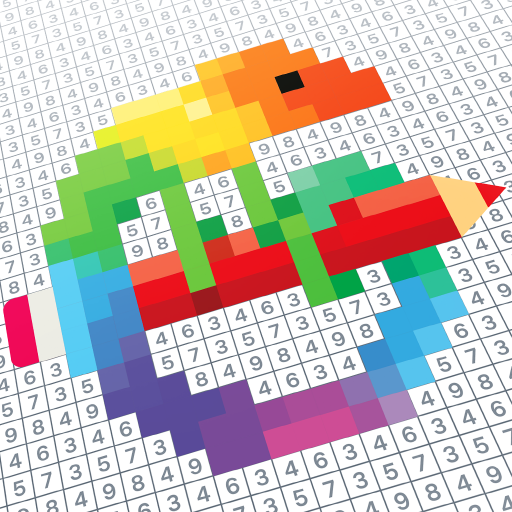
Pixel Art – Color by Number is a relaxing puzzle game developed by Easybrain with a library of over 20,000 pixel art images to color. The mechanic is simple: each picture is divided into numbered cells, and players tap a color then fill the corresponding cells to gradually reveal the artwork. Topics range from animals and flowers to mandalas, fantasy scenes, and pop culture themes, with new pictures added daily.
A Pixel Art Camera feature allows users to upload any personal photo and convert it into a colorable pixel template, adding a creative personal dimension. A 3D coloring mode adds further variety. The game is designed as a stress-relief activity for adults, with deliberately calm pacing and no fail states.
Free to play with an optional premium tier for ad-free access. 🎨🖼️
Features
- 🎮 Intuitive Controls: DIY Coloring: Pixel Art Number features smooth, responsive controls optimized for mobile touchscreen gameplay.
- 🎲 Multiple Game Modes: Explore various game modes that keep the gameplay fresh and exciting in DIY Coloring: Pixel Art Number.
- 🚀 Easy to Learn: Jump right into the action with an intuitive tutorial system that gets you playing in minutes.
- 🏅 Competitive Leaderboards: Compare your scores and achievements with friends and players around the world.
- 📱 Offline Play: Enjoy DIY Coloring: Pixel Art Number anytime, anywhere — even without an internet connection.
How to Play
1. Download and Open the Game
Install Pixel Art – Color by Number from Google Play and open it to the picture gallery.
2. Browse and Choose a Picture
Scroll through themed categories or use the search to find a pixel art image that appeals to you.
3. Start Coloring
Tap a numbered color from the palette at the bottom, then tap each matching numbered cell on the canvas to fill it.
4. Use the Zoom Tool
Pinch to zoom into detailed areas of the artwork for precision coloring, especially on complex images.
5. Complete the Artwork
Continue filling all numbered cells until the image is fully revealed — the game celebrates your completion with an animation.
6. Try the Pixel Art Camera
Tap the camera feature, upload a personal photo, adjust the difficulty level, and generate a custom pixel color-by-number template from it.
7. Access Daily New Pictures
Return to the app each day to find freshly added pictures in the 'New' section of the gallery.
FAQ
Recommended Apps
Geometry Dash Lite
★★★★★4.4

Kpop Idol Simulator
★★★★★3.8

Five Nights at Freddy's 4
★★★★★4.6

Soccer Cup 2023: Football Game
★★★★★4.3

Project Makeover
★★★★★4.5

Black Color Paint By Number
★★★★★4.9

Hello Neighbor
★★★★★3.9

Ultimate Custom Night
★★★★★4.6

ASMR Girl: Livestream Mukbang
★★★★★4.5

Pokémon UNITE
★★★★★4.5

Santa Prank Call: Fake video
★★★★★3.8

Fruit Hospital: ASMR Games
★★★★★3.0

The Game of Life 2
★★★★★4.6

Papa's Hot Doggeria To Go!
★★★★★4.6

Pokémon GO
★★★★★3.9
Hot Apps

Waze Navigation & Live Traffic
★★★★★4.2

Kpop Fans Demon Hunter Sticker
★★★★★0.0

PayByPhone
★★★★★4.0

Lime - #RideGreen
★★★★★4.9

Transit: Bus & Subway Times
★★★★★4.6

Telegram
★★★★★4.2

Kpop Demon Draw and Coloring
★★★★★0.0

Kpop Fans Demon Hunter Wallpap
★★★★★4.3

Love Language Test
★★★★★0.0

Signal Private Messenger
★★★★★4.5

TikTok
★★★★★4.1

Uber - Request a ride
★★★★★4.8

IRS2Go
★★★★★4.0

Aura Frames
★★★★★4.8
Link to Windows
★★★★★3.8
Disclaimer
- X-Clash does not represent any developer, nor is it the developer of any app or game.
- X-Clash provides screenshots, historical version APK, links and other information collected from Google Play.
- All trademarks, registered trademarks, product names and company names are the property of their respective owners.
- X-Clash abides by the Digital Millennium Copyright Act (DMCA).
- We provide official download links at Google Play Store and App Store whenever available.
- If you are the owner or copyright representative and want to delete your information, please contact us at [email protected].
- All information on this website strictly observes Google Ads Advertising policies and Google Unwanted Software policy.