About This App
CategoryCard
Installs50,000,000+
Content Rating--
Developer Email--
Screenshots


Editor Reviews
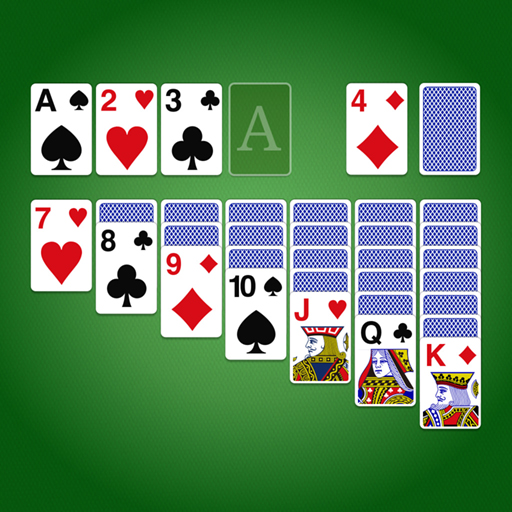
Solitaire - Classic Card Games brings the beloved Klondike solitaire experience to Android with a clean, polished presentation. The goal is timeless: arrange cards in descending order with alternating colors across seven tableau columns, then build four foundation piles from Ace through King to win. The app supports both draw-one and draw-three card modes to suit different skill levels, and offers left-handed layout options for accessibility.
Players can customize card faces, card backs, and table backgrounds, and daily challenges keep the experience fresh beyond random deals. Offline play makes it a reliable commute companion, and the hint and undo systems are forgiving enough for newcomers while staying satisfying for veterans. A dependable, ad-supported free experience that captures the essence of the classic game.
🃏♠️
Features
- 🎮 Intuitive Controls: Solitaire - Classic Card Games features smooth, responsive controls optimized for mobile touchscreen gameplay.
- 🎲 Multiple Game Modes: Explore various game modes that keep the gameplay fresh and exciting in Solitaire - Classic Card Games.
- 🚀 Easy to Learn: Jump right into the action with an intuitive tutorial system that gets you playing in minutes.
- 🏅 Competitive Leaderboards: Compare your scores and achievements with friends and players around the world.
- 📱 Offline Play: Enjoy Solitaire - Classic Card Games anytime, anywhere — even without an internet connection.
How to Play
1. Download and Open: Install the app and tap New Game on the home screen to start a fresh Klondike solitaire deal.
2. Understand the Layout: Seven tableau columns are in the center; four empty foundation slots are at the top right; the stockpile and waste pile are at the top left.
3. Move Cards in the Tableau: Drag cards onto tableau columns in descending order with alternating red and black colors — for example, a black 7 on a red 8.
4. Flip the Stockpile: Tap the stockpile to flip one or three cards (depending on your mode setting) into the waste pile for additional playable cards.
5. Build the Foundation Piles: Move Aces to the foundation slots first, then stack same-suit cards in ascending order from Ace to King to win the game.
6. Use Hints and Undo: Tap the Hint button if you are stuck to highlight a valid move; use Undo to reverse the last move without restarting.
7. Try Daily Challenges: Visit the Daily Challenge section for curated deals that change every day and earn rewards for completing them.
FAQ
Recommended Apps

Blockman Go
★★★★★4.2

Teamwork obby : Puzzles obby
★★★★★3.5

Aha World: Doll Dress-Up Game
★★★★★4.7

World of Peppa Pig: Kids Games
★★★★★3.3

Block Blast!
★★★★★4.8

Papa's Scooperia To Go!
★★★★★4.8

Rhythm Fire-EDM Shooting Game
★★★★★4.8

Stumble Guys
★★★★★4.2

Fashion Catwalk Show
★★★★★4.6

Doll Dress Up: Sweet Girl
★★★★★4.1

Poppy Playtime Chapter 2
★★★★★4.2

ASMR Girl: Livestream Mukbang
★★★★★4.5

Beam Drive Crashes Original 3D
★★★★★4.2

Galaxy Attack: Shooting Game
★★★★★4.7

Cops N Robbers:Pixel Craft Gun
★★★★★4.2
Hot Apps

PayByPhone
★★★★★4.0

WhatsApp Messenger
★★★★★4.5

JPay
★★★★★4.0

Fact of Your Name-Name Meaning
★★★★★4.0

PlantSnap plant identification
★★★★★3.7

Temu: Shop Like a Billionaire
★★★★★4.6

Kpop Fans Demon Hunter Wallpap
★★★★★4.3

SkinApe for bobux
★★★★★4.1

Uber - Request a ride
★★★★★4.8

Love Tester Find Real Love App
★★★★★4.6

QR Code Scanner & Scanner App
★★★★★4.4

Zoom Workplace
★★★★★4.1

Google Chat
★★★★★4.4

IRS2Go
★★★★★4.0

Love Test - Compatibility Test
★★★★★4.5
Disclaimer
- X-Clash does not represent any developer, nor is it the developer of any app or game.
- X-Clash provides screenshots, historical version APK, links and other information collected from Google Play.
- All trademarks, registered trademarks, product names and company names are the property of their respective owners.
- X-Clash abides by the Digital Millennium Copyright Act (DMCA).
- We provide official download links at Google Play Store and App Store whenever available.
- If you are the owner or copyright representative and want to delete your information, please contact us at [email protected].
- All information on this website strictly observes Google Ads Advertising policies and Google Unwanted Software policy.