About This App
CategoryCasual
Installs10,000+
Content Rating--
Developer Email--
Screenshots


Editor Reviews
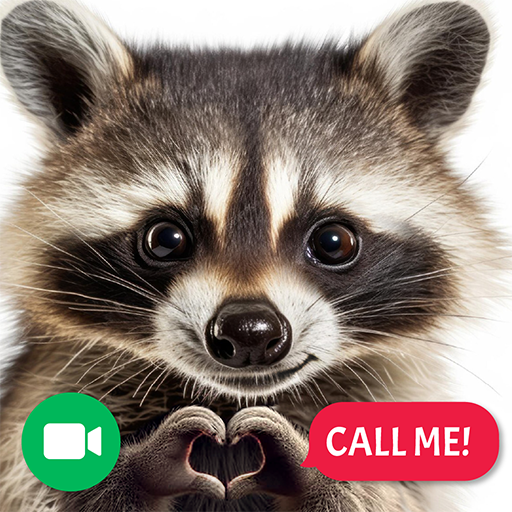
Raccoon Prank Call & Chat is a lighthearted casual entertainment app that simulates fake video calls and chat conversations with a cast of animated raccoon characters. The app features more than 7 unique contacts with names like Clever Cookie, Big Boss, and Cutie, each offering their own personality in scripted chat responses and mock video calls. Players can send fun stickers, answer question prompts in live chat mode, and unlock additional raccoon contacts either by watching ads or completing mini-games.
The app has a playful, colorful design aimed squarely at younger audiences and casual users looking for a harmless laugh. It is important to note that all calls and messages are entirely simulated — no real communication takes place. A charming, silly time-passer.
🦝📞
Features
- 🎮 Intuitive Controls: Raccoon Prank Call & Chat features smooth, responsive controls optimized for mobile touchscreen gameplay.
- 🎲 Multiple Game Modes: Explore various game modes that keep the gameplay fresh and exciting in Raccoon Prank Call & Chat.
- 🚀 Easy to Learn: Jump right into the action with an intuitive tutorial system that gets you playing in minutes.
- 🏅 Competitive Leaderboards: Compare your scores and achievements with friends and players around the world.
- 📱 Offline Play: Enjoy Raccoon Prank Call & Chat anytime, anywhere — even without an internet connection.
How to Play
1. Download and Open: Install the app and open it to see your raccoon contact list on the main screen.
2. Choose a Contact: Tap on one of the available raccoon characters — such as Clever Cookie or Big Boss — to start a fake video call or chat session.
3. Answer a Video Call: Select the video call option and wait for the animated raccoon to appear on screen for a simulated call experience.
4. Chat with Your Raccoon: Switch to the live chat mode, read the prompts from the raccoon character, and tap response options to keep the conversation going.
5. Send Stickers: During a chat session, open the sticker panel and select fun themed stickers to send to your raccoon contact.
6. Unlock More Contacts: Tap locked raccoon contacts and choose to watch an ad or complete mini-games to unlock them and expand your contact list.
7. Share the Fun: Use the social share button to post screenshots or clips from your raccoon calls to social media and show friends.
FAQ
Recommended Apps

Kpop Idol Simulator
★★★★★3.8
Talking Tom Gold Run
★★★★★4.3
Brawl Stars
★★★★★4.3

Getting Over It
★★★★★3.3
Lords Mobile: Kingdom Wars
★★★★★4.5
Pokémon UNITE
★★★★★4.5
Papa's Paleteria To Go!
★★★★★4.8
Magic Tiles 3™ - Piano Game
★★★★★4.5

Car Driving School Simulator
★★★★★4.1

Traffic Driving Car Simulator
★★★★★3.6

Fruit Ninja®
★★★★★4.5

World of Peppa Pig: Kids Games
★★★★★3.3

Hill Climb Racing 2
★★★★★4.5

The Room Three
★★★★★4.9
My Talking Angela 2
★★★★★4.3
Hot Apps

Cash App
★★★★★4.6

Skin Editor 3D for Minecraft
★★★★★4.4

Kpop Fans Demon Hunter Wallpap
★★★★★4.3

TouchTunes: Live Bar JukeBox
★★★★★4.8

KPop Demon Hunters Wallpapers
★★★★★4.7

Uber - Request a ride
★★★★★4.8

Signal Private Messenger
★★★★★4.5

Transit: Bus & Subway Times
★★★★★4.6

Google Chat
★★★★★4.4

WhatsApp Messenger
★★★★★4.5
Zalo
★★★★★2.3

JPay
★★★★★4.0

PlantSnap plant identification
★★★★★3.7

DoorDash - Food Delivery
★★★★★4.7
Kpop Fans Demon Hunter Wallpap
★★★★★5.0
Disclaimer
- X-Clash does not represent any developer, nor is it the developer of any app or game.
- X-Clash provides screenshots, historical version APK, links and other information collected from Google Play.
- All trademarks, registered trademarks, product names and company names are the property of their respective owners.
- X-Clash abides by the Digital Millennium Copyright Act (DMCA).
- We provide official download links at Google Play Store and App Store whenever available.
- If you are the owner or copyright representative and want to delete your information, please contact us at [email protected].
- All information on this website strictly observes Google Ads Advertising policies and Google Unwanted Software policy.