About This App
CategoryEducational
Installs10,000,000+
Content Rating--
Developer Email--
Screenshots


Editor Reviews
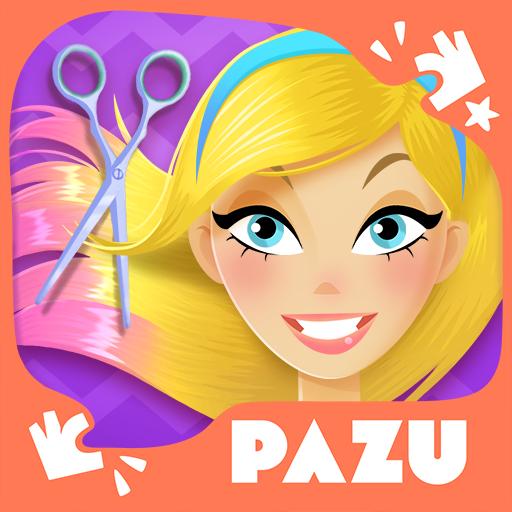
Hair Salon Fashion for Girl is a child-friendly hair styling game developed by Pazu Games, designed specifically for children under 10. Players act as a virtual hairstylist, giving their cartoon clients colorful haircuts, braids, and fashion makeovers using an assortment of salon tools. Pazu is known for its strict no-ads policy — the game contains zero advertisements and no external links, ensuring a distraction-free experience.
There are no in-app purchases pressuring young players; instead, Pazu offers an optional subscription for their broader game library. The visuals are bright and friendly, and the touch controls are deliberately simple for small hands. With a 4-star rating and wide parent approval, it is one of the safer hair salon games available for kids on Android.
✂️💇
Features
- 🎮 Intuitive Controls: Hair Salon Fashion for Girl features smooth, responsive controls optimized for mobile touchscreen gameplay.
- 🎲 Multiple Game Modes: Explore various game modes that keep the gameplay fresh and exciting in Hair Salon Fashion for Girl.
- 🚀 Easy to Learn: Jump right into the action with an intuitive tutorial system that gets you playing in minutes.
- 🏅 Competitive Leaderboards: Compare your scores and achievements with friends and players around the world.
- 📱 Offline Play: Enjoy Hair Salon Fashion for Girl anytime, anywhere — even without an internet connection.
How to Play
1. Launch the Game — Open the app and tap a character from the client selection screen to begin their salon visit.
2. Wash the Hair — Tap the shampoo bottle and drag it across the character's hair to wash and rinse it before styling.
3. Choose a Haircut — Select scissors from the tool tray and tap or drag to trim the hair to a shorter style or desired length.
4. Style the Hair — Pick up the curling iron, straightener, or blow dryer and apply it to different sections to create waves, curls, or sleek styles.
5. Add Color — Tap the dye palette, choose a color, and apply it by dragging across the hair sections you want to color.
6. Apply Accessories — Browse the accessory drawer to add bows, clips, flowers, or headbands to finish the look.
7. Finish & Admire — Tap the mirror button to see the final styled result and then tap Next Client to start a new styling session.
FAQ
Recommended Apps
Brawl Stars
★★★★★4.3

I Am Cat
★★★★★4.5
The Room: Old Sins
★★★★★4.9

Traffic Bike Driving Simulator
★★★★★3.8

Beam Drive Crashes Original 3D
★★★★★4.2
Soccer Cup 2023: Football Game
★★★★★4.3

Car Driving School Simulator
★★★★★4.1
Traffic Driving Car Simulator
★★★★★4.3
The Game of Life 2
★★★★★4.6

Papa's Bakeria To Go!
★★★★★4.7

Brainrot Mini Challenge
★★★★★3.0
Papa's Cheeseria To Go!
★★★★★4.8
Incredibox
★★★★★4.8
Solitaire - Classic Card Games
★★★★★4.7
Black Color Paint By Number
★★★★★4.9
Hot Apps

Waze Navigation & Live Traffic
★★★★★4.2
Kpop Demon Draw and Coloring
★★★★★0.0

Facebook
★★★★★4.4

Google Pay: Save and Pay
★★★★★4.0

Skin Editor 3D for Minecraft
★★★★★4.4

TikTok
★★★★★4.1

TouchTunes: Live Bar JukeBox
★★★★★4.8

Kpop Fans Demon Hunter Sticker
★★★★★0.0

PayPal - Pay, Send, Save
★★★★★4.3

Zalo
★★★★★2.3

IRS2Go
★★★★★4.0

KPop Demon Hunters Wallpapers
★★★★★4.7

Uber - Request a ride
★★★★★4.8

SkinApe for bobux
★★★★★4.1

Spotify: Music and Podcasts
★★★★★4.3
Disclaimer
- X-Clash does not represent any developer, nor is it the developer of any app or game.
- X-Clash provides screenshots, historical version APK, links and other information collected from Google Play.
- All trademarks, registered trademarks, product names and company names are the property of their respective owners.
- X-Clash abides by the Digital Millennium Copyright Act (DMCA).
- We provide official download links at Google Play Store and App Store whenever available.
- If you are the owner or copyright representative and want to delete your information, please contact us at [email protected].
- All information on this website strictly observes Google Ads Advertising policies and Google Unwanted Software policy.