About This App
CategoryEducational
Installs1,000,000+
Content Rating--
Developer Email--
Screenshots


Editor Reviews
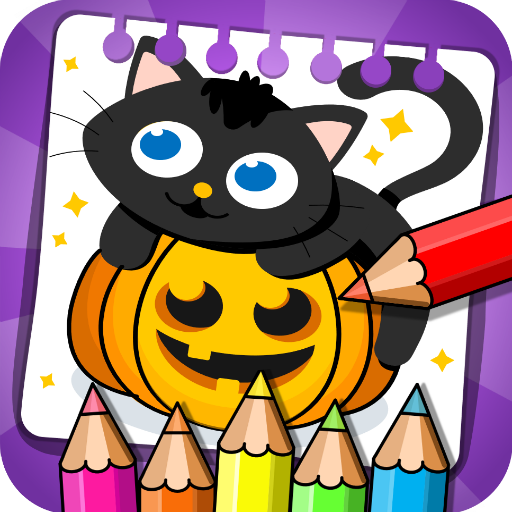
Halloween - Coloring & Games is an all-in-one educational app for kids developed by Orange Studios, combining free-form drawing, Halloween-themed coloring pages, and a suite of mini-games in a single package. Children can color spooky illustrations within the lines or draw freely using a wide selection of colors and over 100 stickers. The app also includes a piano for music play, a memory card-matching game, and a Magic Lines fireworks creator.
Designed to develop imagination, fine motor skills, and concentration, it makes learning feel like play. The undo function and save feature let kids experiment without consequence. It is family-friendly, suitable for all ages, and available free on Google Play.
A versatile Halloween-themed creative toolkit for young players. 🎃🖌️
Features
- 🎮 Intuitive Controls: Halloween - Coloring & Games features smooth, responsive controls optimized for mobile touchscreen gameplay.
- 🎲 Multiple Game Modes: Explore various game modes that keep the gameplay fresh and exciting in Halloween - Coloring & Games.
- 🚀 Easy to Learn: Jump right into the action with an intuitive tutorial system that gets you playing in minutes.
- 🏅 Competitive Leaderboards: Compare your scores and achievements with friends and players around the world.
- 📱 Offline Play: Enjoy Halloween - Coloring & Games anytime, anywhere — even without an internet connection.
How to Play
1. Open the App — Launch Halloween - Coloring & Games and select an activity from the main menu: Coloring, Free Draw, Piano, Memory, or Magic Lines.
2. Pick a Coloring Page — In Coloring mode, browse the Halloween illustration library and tap a page — pumpkins, witches, ghosts — to open the canvas.
3. Select a Color & Brush — Tap a color from the palette and choose a brush size, then tap or drag inside the illustration outlines to fill them in.
4. Free Draw — Switch to Free Draw mode to create your own Halloween artwork on a blank canvas using any color and brush combination.
5. Add Stickers — Tap the sticker icon to access over 100 Halloween stickers and place them anywhere on your drawing.
6. Play Mini-Games — Select the Memory game to flip and match Halloween character cards, or tap Magic Lines to create colorful fireworks by drawing on screen.
7. Save Your Work — Tap the save button after coloring or drawing to store the image to your device, where you can reopen and edit it later.
FAQ
Recommended Apps

The Baby In Yellow
★★★★★4.2
Papa's Cheeseria To Go!
★★★★★4.8

Teamwork obby : Puzzles obby
★★★★★3.5

Rhythm Fire-EDM Shooting Game
★★★★★4.8

A Webbing Journey
★★★★★4.5
Shadow of Death: Dark Knight
★★★★★4.6

Indian Vehicles Simulator 3d
★★★★★4.4

Project Makeover
★★★★★4.5

Hill Climb Racing 2
★★★★★4.5
The Game of Life 2
★★★★★4.6
Papa's Paleteria To Go!
★★★★★4.8
Cops N Robbers:Pixel Craft Gun
★★★★★4.2
Papa's Cupcakeria To Go!
★★★★★4.3
The Room: Old Sins
★★★★★4.9
Clash Royale
★★★★★4.3
Hot Apps

Temu: Shop Like a Billionaire
★★★★★4.6

Zalo
★★★★★2.3

Zelle®
★★★★★4.1

Customuse: Skins Maker Roblox
★★★★★4.5

TikTok
★★★★★4.1

PayByPhone
★★★★★4.0

KPop Demon Hunter Wallpaper
★★★★★0.0

QR Code Scanner & Scanner App
★★★★★4.4

Telegram
★★★★★4.2

WhatsApp Messenger
★★★★★4.5

Cash App
★★★★★4.6

KPop Demon Hunters Wallpapers
★★★★★4.7

Waze Navigation & Live Traffic
★★★★★4.2

SkinApe for bobux
★★★★★4.1

Reddit
★★★★★4.6
Disclaimer
- X-Clash does not represent any developer, nor is it the developer of any app or game.
- X-Clash provides screenshots, historical version APK, links and other information collected from Google Play.
- All trademarks, registered trademarks, product names and company names are the property of their respective owners.
- X-Clash abides by the Digital Millennium Copyright Act (DMCA).
- We provide official download links at Google Play Store and App Store whenever available.
- If you are the owner or copyright representative and want to delete your information, please contact us at [email protected].
- All information on this website strictly observes Google Ads Advertising policies and Google Unwanted Software policy.