About This App
CategoryCasual
Installs100,000,000+
Content Rating--
Developer Email--
Screenshots


Editor Reviews
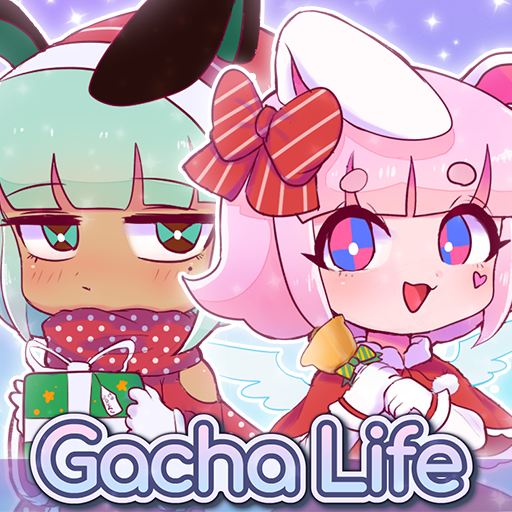
Gacha Life is a beloved casual dress-up and storytelling game from Lunime that lets players build richly customized anime-style characters and use them to craft their own scenes and narratives. The character creator offers an enormous selection of hairstyles, outfits, accessories, and props, with adjustable color palettes for near-limitless combinations. Studio Mode lets you stage scenes with up to eight characters, choose from over 600 backgrounds, and add custom speech bubbles to tell your story.
Life Mode lets you explore locations and befriend NPC characters to earn experience and rewards. Eight mini-games and a Gacha pull system provide extra entertainment. Gacha Life has built a huge creative community that shares scenes, skits, and fan-made content across platforms.
🎨✨
Features
- 🎨 Character Customization: Personalize your characters with a wide variety of outfits, skins, and accessories in Gacha Life.
- 🎲 Multiple Game Modes: Explore various game modes that keep the gameplay fresh and exciting in Gacha Life.
- 🚀 Easy to Learn: Jump right into the action with an intuitive tutorial system that gets you playing in minutes.
- 🏅 Competitive Leaderboards: Compare your scores and achievements with friends and players around the world.
- 📱 Offline Play: Enjoy Gacha Life anytime, anywhere — even without an internet connection.
How to Play
1. Download and Start Creating: Install Gacha Life and head straight to the Character Creator to build your first anime-style character from scratch.
2. Customize Your Character: Use the tabs to change hairstyle, clothing, accessories, eyes, mouth, and colors — each category has dozens of options to mix and match.
3. Name and Save Your Character: Give your character a name using the text field or the random name generator, then save them to one of the available character slots.
4. Enter Studio Mode: Navigate to Studio, select up to eight of your saved characters, and place them on a scene background of your choice from the 600+ available options.
5. Pose Characters and Add Dialogue: Drag characters to positions on screen, adjust their pose from the preset options, and add speech or thought bubbles with custom text to create your story.
6. Explore Life Mode: Enter Life Mode to walk around game locations, interact with NPCs, and build friendships that increase your Friendship Level and reward you with gifts.
7. Play Mini-Games and Use Gacha: Visit the Games section to play any of the eight mini-games to earn Gems, then use Gems in the Gacha machine to pull new character gifts and items.
FAQ
Recommended Apps
Papa's Cluckeria To Go!
★★★★★4.8

Sniper 3D:Gun Shooting Games
★★★★★4.6
Township
★★★★★4.8

Fruit Ninja®
★★★★★4.5

Beam Drive Crashes Original 3D
★★★★★4.2

Flappy Dunk
★★★★★4.5

Pokémon GO
★★★★★3.9
Creepy Clown - Circus Escape
★★★★★4.0

Snake.io - Fun Snake .io Games
★★★★★4.3

ASMR Girl: Livestream Mukbang
★★★★★4.5

Papa's Bakeria To Go!
★★★★★4.7
Shadow of Death: Dark Knight
★★★★★4.6
Lords Mobile: Kingdom Wars
★★★★★4.5

Teamwork obby : Puzzles obby
★★★★★3.5
Papa's Cheeseria To Go!
★★★★★4.8
Hot Apps
Name Meaning
★★★★★4.1

Love Language Test
★★★★★0.0

Love Tester Find Real Love App
★★★★★4.6

Facebook
★★★★★4.4

SoundHound - Music Discovery
★★★★★3.8

Customuse: Skins Maker Roblox
★★★★★4.5

Waze Navigation & Live Traffic
★★★★★4.2

PlantSnap plant identification
★★★★★3.7

ParkMobile: Park. Pay. Go.
★★★★★4.7

IRS2Go
★★★★★4.0

Link to Windows
★★★★★3.8

Venmo
★★★★★4.2

KPop Demon Hunter Wallpaper
★★★★★0.0

JPay
★★★★★4.0
Kpop Demon Draw and Coloring
★★★★★0.0
Disclaimer
- X-Clash does not represent any developer, nor is it the developer of any app or game.
- X-Clash provides screenshots, historical version APK, links and other information collected from Google Play.
- All trademarks, registered trademarks, product names and company names are the property of their respective owners.
- X-Clash abides by the Digital Millennium Copyright Act (DMCA).
- We provide official download links at Google Play Store and App Store whenever available.
- If you are the owner or copyright representative and want to delete your information, please contact us at [email protected].
- All information on this website strictly observes Google Ads Advertising policies and Google Unwanted Software policy.